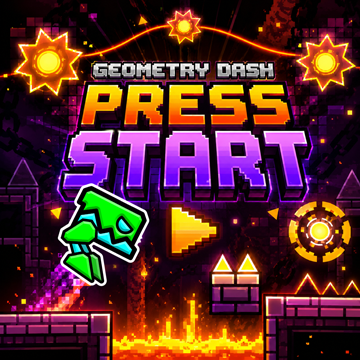
How to Play Geometry Dash Press Start?
- On PC, click the mouse button or press the Spacebar to control the character.
- On mobile, simply tap the screen to play.
Geometry Dash Press Start vs. Geometry Dash Wave Challenge
Geometry Dash Press Start and Geometry Dash Wave Challenge share the same fast-paced rhythm platforming style, but the two games create very different experiences.
The biggest difference is the character form and movement mechanic. In Geometry Dash Press Start, the familiar cube remains the main character as it slides and jumps along the level. In Geometry Dash Wave Challenge, the character becomes a wave arrow that moves through tight zigzag paths.
This difference changes how players approach obstacles, control movement, and practice each stage.
The Cube in Geometry Dash Press Start
The cube is the main character in Geometry Dash Press Start. It travels forward along the level while players control its movements at important moments.
The gameplay feels familiar to players who have experience with traditional Geometry Dash levels. You need to watch the path carefully and time your clicks or taps to pass obstacles successfully.
The cube-based movement also makes the level feel more like a classic rhythm platformer. Your focus is mainly on timing jumps and reacting to the obstacles appearing ahead.
The level on the referenced page contains a single challenging stage, with a difficulty designed to provide a learning curve without being extremely difficult for every player.
The Wave Arrow in Geometry Dash Wave Challenge
Geometry Dash Wave Challenge takes a completely different approach by keeping the character in wave form.
Instead of controlling a cube that jumps over obstacles, you control an arrow that flies upward while holding the button and moves downward when you release it. Alternating between these actions creates the characteristic zigzag movement.
This mechanic requires a different type of precision. Rather than thinking about individual jumps, you need to control the angle and rhythm of the wave as it moves through narrow spaces.
The result is a faster and more focused style of gameplay.
Level Length
Another noticeable difference is the amount of time needed to complete a level.
Geometry Dash Press Start generally provides a longer play session, with a successful run taking around one minute. This gives players more time to experience the level's obstacle patterns and requires them to maintain concentration for a longer period.
Geometry Dash Wave Challenge, by comparison, focuses on much shorter stages. Depending on the map and your performance, a level can be completed in roughly 10–20 seconds for a quick successful run. The referenced Wave Challenge page also describes its stages as considerably shorter than many traditional Geometry Dash levels.
This creates an important difference in how the two games feel.
With Press Start, one mistake near the end can be particularly frustrating because you may have already spent a significant amount of time progressing through the stage. With Wave Challenge, attempts are much shorter, so restarting can feel quicker and more immediate.
Which Game Has Faster Gameplay?
The answer depends on what kind of challenge you prefer.
Geometry Dash Press Start has a more traditional rhythm-platforming feeling. The cube moves through the stage while you concentrate on jumps, obstacles, and timing.
Geometry Dash Wave Challenge feels faster because the wave mechanic requires constant adjustment. The character repeatedly moves upward and downward, creating a sharp zigzag pattern that can become difficult in narrow sections.
Players who prefer traditional cube gameplay may find Press Start easier to understand. Those who enjoy rapid, continuous movement may prefer Wave Challenge.
What Makes Geometry Dash Press Start Different?
Beyond its cube-based gameplay, Geometry Dash Press Start focuses on learning through repeated attempts.
A Focused Single-Level Experience
Rather than providing a huge collection of unrelated stages, the game centers its experience around one challenging level. This allows players to spend more time learning the obstacle patterns and improving their performance.
At first, the level may seem difficult because you need to understand the timing of different sections. After several attempts, however, the layout becomes more familiar.
This creates a simple progression: try, fail, learn, and try again.
Practice Through Checkpoints
Checkpoints are particularly useful when learning difficult sections. On the referenced version, players can use the Z key to place checkpoints and the X key to remove them.
Instead of restarting from the beginning every time, you can practice a troublesome section repeatedly.
This is useful for players who are still developing their timing. You can focus on one part of the level until your movements become more consistent, then attempt a complete run.
Character Customization
The game also includes different skins and colors for the character. These options are cosmetic, but they allow players to personalize the cube and make repeated attempts feel more enjoyable.
Since players may replay the same level many times, having customization options adds some visual variety to the experience.