How to play
- Tap the screen or click the left mouse button to make the character jump.
- Press the Z key to place a checkpoint and the X key to clear it when desired.
Delving into the Atmosphere of Geometry Vibes 3d
What makes the visual style stand out from other rhythm platformers
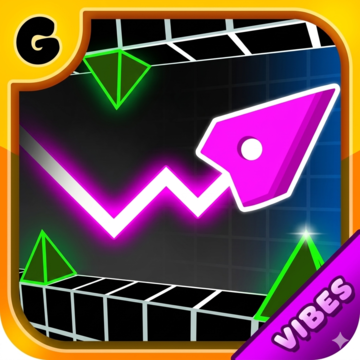
Geometry Vibes 3d presents a striking blend of neon lighting and geometric shapes that feels fresh in a crowded market. The three‑dimensional perspective adds depth to each level, allowing players to see obstacles from multiple angles. This design choice creates a sense of immersion that keeps the eyes moving as the beat drops. The color palette shifts with each track, turning every stage into a living, breathing music video.
How the soundtrack shapes the overall experience
The audio in Geometry Vibes 3d is more than background noise; it drives every jump, slide and dash. Each level is paired with a unique track that matches the tempo of the obstacles. When the rhythm accelerates, the platform patterns tighten, demanding quicker reflexes. The combination of pulsating bass and melodic synths makes the gameplay feel like a dance, encouraging players to sync their movements with the beat.
Uncovering the Layers of Challenge in Geometry Vibes 3d
Decoding the checkpoint system and its impact on progression
Checkpoints appear as glowing orbs placed strategically throughout each stage. When a player reaches an orb, the game records the current position. If a mistake is made, the character respawns at the most recent checkpoint rather than the beginning of the level. This mechanic reduces frustration while still rewarding precision, as players must still navigate complex sections after each respawn.
Approaches to navigating narrow corridors and moving walls
Narrow passages test timing more than raw speed. The key to success lies in observing the pattern of moving walls before committing to a jump. Many players find that a short pause at the edge of a platform allows the rhythm to align with the next opening. Practicing this pause can turn a seemingly impossible segment into a manageable sequence.
Insights into Advanced Techniques and Player Growth
Why mastering rhythm synchronization leads to higher scores
When a player aligns jumps with the beat, the game rewards precision with score multipliers. These multipliers increase with each consecutive perfect timing, encouraging a flow state where actions feel effortless. Over time, players who focus on rhythm develop an intuition for the music, allowing them to anticipate obstacle patterns before they appear.
How practicing on lower difficulty levels prepares you for harder stages
Starting on easier tracks gives newcomers a chance to learn the control scheme without the pressure of rapid tempo changes. As confidence builds, moving to higher difficulty levels introduces faster beats and more intricate geometry. This gradual escalation mirrors the learning curve of many rhythm games, making the transition feel natural rather than abrupt.
Frequently Asked Questions
Can I play Geometry Vibes 3d on mobile devices?
Yes the game supports touch controls, allowing you to tap the screen to jump and swipe to slide.
Is there a way to disable the music if I prefer to play in silence?
The settings menu includes an option to mute the soundtrack while keeping sound effects active.
Do checkpoints appear automatically or must I place them manually?
Both options are available. The game generates glowing orbs at set points, but you can also create custom checkpoints using the Z key.
What happens if I lose a life during a level?
The character respawns at the most recent checkpoint, preserving progress made up to that point.
Are there any hidden levels or secret tracks to discover?
Developers have added a few secret stages that unlock after completing certain challenges, rewarding dedicated players with new music and visual themes.