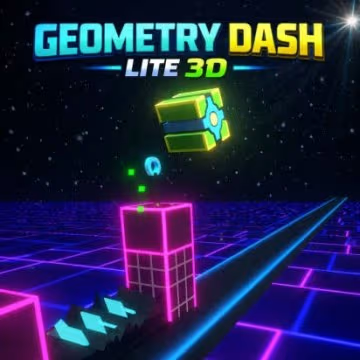
How to Play Geometry Dash Lite 3D?
- Click the left mouse button to jump or fly
- Press Z to set up checkpoints, X to delete them
Jump Over Dangerous Obstacles
Many sections require carefully timed jumps. Spikes, gaps, walls, and elevated platforms can appear quickly, giving you only a short amount of time to react.
Watch the upcoming path and prepare for each obstacle before reaching it. A jump that is too early or too late can cause an immediate failure, so try to develop a consistent rhythm.
Control Your Character During Flying Sections
Some parts of Geometry Dash Lite 3D require flying rather than simply jumping across the ground. These sections can feel more difficult because you need to control your character's vertical movement while avoiding obstacles.
Use the left mouse button carefully and pay attention to the available space. Avoid making unnecessary movements when the path is narrow.
Use Checkpoints for Practice
Checkpoints are useful when you are learning a difficult section. Press Z to place one and X to remove it when necessary.
Instead of repeatedly playing the entire level to reach one difficult obstacle, you can use checkpoints to focus on that specific section. This allows you to practice timing and movement more efficiently.
Once you become comfortable with the area, try playing from the beginning without relying on checkpoints. This helps you build the consistency needed to complete the full level.
Experience Geometry Dash Lite in 3D Mode
The most interesting aspect of Geometry Dash Lite 3D is the way familiar platform gameplay is presented with a stronger sense of depth. Traditional Geometry Dash gameplay focuses heavily on side-scrolling movement, while a 3D presentation can make obstacles and platforms feel more dynamic.
The combination of speed and depth creates a different visual experience. Obstacles may appear to have more space around them, while platforms and paths can feel more immersive.
A Fresh Look at Familiar Gameplay
Players who already enjoy Geometry Dash Lite may find the 3D perspective an interesting way to experience familiar mechanics.
The core idea remains straightforward: move through the level, avoid obstacles, and reach the finish without making a mistake. However, the visual presentation can make each section feel more intense.
You still need the same basic skills - timing, concentration, and fast reactions - but the 3D-style environment can change how you read the course.
Follow the Rhythm of the Level
Rhythm is an important part of the Geometry Dash experience. Obstacles are often arranged in patterns that reward players who can recognize timing and maintain a steady pace.
Instead of reacting only when an obstacle is directly in front of you, try to look ahead. Understanding the sequence of upcoming obstacles gives you more time to prepare your next movement.
A consistent rhythm can make difficult sections feel more manageable. With practice, you may begin to anticipate jumps instead of reacting at the last possible moment.
Watch the Environment Carefully
The 3D presentation can make visual awareness even more important. Pay attention to platforms, spikes, gaps, and changes in the path.
Avoid focusing exclusively on your character. Look slightly ahead so you can recognize what is coming next.
This habit can improve your reaction time because you are preparing for an obstacle before it reaches you.