How to play
- Click the left mouse button or tap the screen to make the character leap upward.
- Release the tap to end the jump early if a lower platform is needed.
- Use the pause button at the top corner to access settings or restart the level.
What makes Geometry Jump a standout experience
Minimalist visual design that captures attention
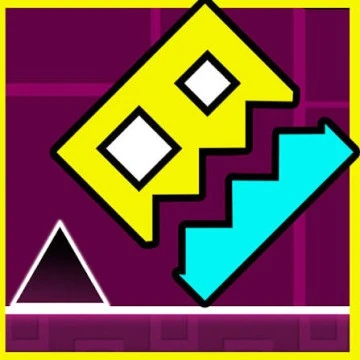
Geometry Jump embraces a clean aesthetic built from simple shapes and vibrant colors. The background shifts subtly as the player ascends, creating a sense of progression without overwhelming detail. This visual approach reduces distractions, allowing the focus to remain on timing and precision.
Responsive audio cues that guide gameplay
Every jump is accompanied by a light sound effect, while missed platforms generate a soft alert. The background music adapts to the player’s altitude, increasing in tempo as the challenge intensifies. These audio cues reinforce the rhythm of each level and help players anticipate upcoming obstacles.
Strategies to improve performance in Geometry Jump
Mastering timing through repeated practice
Success in Geometry Jump relies on precise timing. Begin each session in practice mode, where the speed of incoming platforms is reduced. Focus on the moment of lift‑off and the duration of the tap. Over time, the muscle memory developed in this mode will translate to higher scores in endless and timed challenges.
Utilizing horizontal movement efficiently
While vertical jumps are essential, the ability to shift left or right adds a layer of strategy. When a platform is slightly off‑center, a quick swipe can align the character for a safe landing. Avoid excessive swiping, as frequent horizontal adjustments can disrupt the rhythm of the jump.
Frequently asked questions about Geometry Jump
Can Geometry Jump be played without an internet connection?
Yes, Geometry Jump is fully functional offline after the initial download. All levels and features are stored locally on the device.
Is there a way to track personal high scores?
The game includes a built‑in leaderboard that records the highest altitude achieved in each mode. Scores are saved locally and can be synced to cloud services if the player chooses to enable that option.
Do the controls differ between iOS and Android devices?
The core control scheme remains identical on both platforms. Tap to jump and swipe to move are implemented using the native touch interface of each operating system.
Are there any in‑app purchases required to enjoy the full game?
Geometry Jump offers a free version that provides access to all core modes. Optional cosmetic packs can be purchased, but they do not affect gameplay or give any advantage.
How often are new levels or updates released?
The developer releases updates periodically, adding fresh visual themes and occasional new challenge modes. Players are encouraged to check the update notes within the app store for the latest information.