How to Play Space Waves 3D?
Basic controls
- Click the left mouse button or tap on the screen to fly.
- Release to drop.
Learn the movement
The wave never stops moving forward, meaning every adjustment must be made at the right moment. Gentle taps often provide more control than holding the button continuously, especially when flying through narrow passages.
Build your skills
The first levels introduce the movement system, allowing players to become familiar with the controls. As you continue playing Space Waves 3D, obstacle layouts become more complex, requiring quicker reactions and smoother control.
Repeated practice is one of the best ways to improve. Since restarting a level happens instantly after a collision, players can quickly learn from mistakes and gradually perfect each section.
Space Waves vs. Space Waves 3D
Although both games share the same core mechanics, the visual presentation creates noticeably different experiences.
Classic 2D graphics
The original Space Waves uses a clean 2D design that emphasizes simplicity and precision. Obstacles are easy to recognize, allowing players to focus entirely on timing and movement.
Its minimalist style appeals to players who enjoy straightforward arcade gameplay without additional visual effects.
Modern 3D graphics
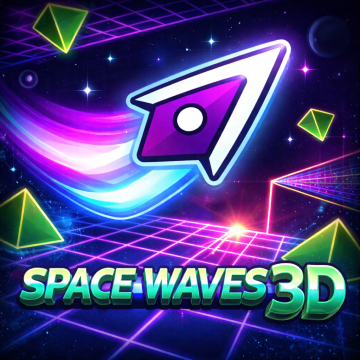
Space Waves 3D transforms the same gameplay into a more immersive experience by introducing three-dimensional environments.
Instead of flat backgrounds, players travel through tunnels that create a stronger sense of depth. Dynamic lighting and perspective changes make every stage feel more alive while maintaining the familiar wave controls.
Gameplay differences
The basic objective remains unchanged in both games. Players must avoid obstacles, control their movement carefully, and reach the finish line.
However, the enhanced visuals in Space Waves 3D affect how players perceive distances and obstacle placement. Judging gaps can feel more challenging because the added depth changes visual perception.
Players looking for the traditional experience may prefer the original version, while those seeking a more modern presentation often enjoy Space Waves 3D.
What Challenges Do Players Face with 3D Design?
The upgraded graphics make Space Waves 3D visually impressive, but they also introduce several new challenges.
Greater depth perception
The most noticeable difference is depth perception.
Because the environments appear three-dimensional, players must judge distances more carefully. Obstacles sometimes look closer or farther away than expected, requiring extra attention during fast sections.
More visual distractions
The improved lighting effects, colorful environments, and animated backgrounds make the game more engaging. At the same time, these visual details can briefly distract players, especially during difficult levels packed with obstacles.
Maintaining focus becomes just as important as mastering the controls.
Faster decision-making
The realistic presentation often makes players feel like the game moves faster, even though the movement mechanics remain similar.
Quick reactions are essential when entering narrow corridors or changing direction within confined spaces.
Higher precision requirements
Small mistakes become much more noticeable in Space Waves 3D because the environments encourage players to rely on visual depth rather than simple shapes.
Successful players learn to combine precise tapping with careful observation instead of reacting at the last possible moment.
Staying calm under pressure
Some advanced levels feature long sequences of obstacles with very little room for error. Remaining patient and maintaining a steady rhythm often produces better results than rushing through difficult sections.
What Devices Can You Play Space Waves 3D On?
One of the biggest advantages of Space Waves 3D is its accessibility.
Play directly in your browser
The game runs directly inside a web browser, eliminating the need for downloads or installations.
Players can start playing within seconds by simply opening the game website using an internet connection.
Compatible with multiple devices
Space Waves 3D works smoothly on most modern devices that support web browsers, including:
- Desktop computers
- Laptop computers
- Android smartphones
- iPhones
- Tablets
- Chromebooks
The responsive controls automatically adapt to either a mouse or touchscreen, providing a comfortable experience regardless of the device being used.
Can it be unblocked at school?
Yes. Space Waves 3D is commonly available through browser-based game websites that are designed to be accessible in many school environments.
Because the game does not require installation and runs entirely within a browser, students can often enjoy Space Waves 3D on school computers where browser games are permitted. However, accessibility ultimately depends on each school's network policies and content filters.