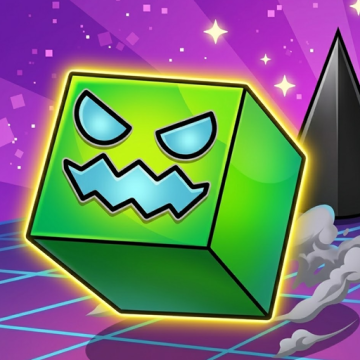
How to Play Geometry Dash Extrapolation
Basic Controls
- Click the left mouse button, tap the screen, or press the Spacebar to jump or fly upward.
- Release the button or key to descend during flying sections.
- Press Z to place a checkpoint while using Practice Mode.
- Press X to remove the most recently placed checkpoint.
Understand the Gameplay Modes
During the level, your icon passes through various portals that introduce different gameplay styles. Each transformation changes how your character moves, requiring you to adapt quickly.
Cube sections focus on precise jumping, while ship segments require smooth flight control through narrow corridors. Ball, UFO, and wave sections introduce additional mechanics that keep the gameplay fresh and unpredictable.
Learning how each form behaves is one of the keys to mastering Geometry Dash Extrapolation.
Tips and Tricks to Complete the Level
Although Geometry Dash Extrapolation is designed to be enjoyable, completing it consistently requires more than quick reflexes. Smart practice habits and careful observation can dramatically improve your success rate.
Learn the Music Before Memorizing Obstacles
Every obstacle is synchronized with the soundtrack.
Listening carefully to the rhythm helps you anticipate jumps, gravity changes, and flying sections. Many experienced Geometry Dash players rely on the music just as much as visual cues.
Once the rhythm becomes familiar, difficult sequences feel much more natural.
Practice Small Sections
Trying to complete the entire level immediately can become frustrating.
Instead, divide the level into several smaller parts and master each one individually. Practice Mode allows you to repeat challenging sequences until your movements become automatic.
Building confidence section by section is much more effective than relying on repeated full attempts.
Stay Focused on Upcoming Obstacles
Instead of watching only your character, train yourself to look slightly ahead.
This habit gives you additional time to react to spikes, portals, speed changes, and gravity switches. As the gameplay becomes faster, anticipating the next obstacle becomes more valuable than reacting to the current one.
Stay Calm During Long Runs
Many mistakes happen because players become nervous after reaching a new personal best.
Keeping a steady rhythm and avoiding rushed inputs helps maintain consistency throughout the level. Remaining patient is often more effective than trying to play faster.
Build Reliable Muscle Memory
The more you play Geometry Dash Extrapolation, the more familiar every jump becomes.
Repeated practice develops muscle memory that allows your hands to react naturally without requiring conscious thought. This is one of the biggest reasons experienced players can complete difficult levels so consistently.
Choose Your Favorite Characters for Free
Another enjoyable feature of Geometry Dash Extrapolation is the ability to customize your character without paying for additional content.
Although gameplay remains the same regardless of your icon, personalization allows every player to create a unique visual style.
Customize Your Icon
Players can select from a variety of cube designs, each offering its own appearance.
Whether you prefer simple geometric patterns or more detailed designs, changing your icon makes every run feel more personal.
Customization does not affect gameplay performance, so you can freely choose the style you enjoy most.
Unlock Different Colors
In addition to selecting different icons, players can customize primary and secondary colors.
Bright color combinations make your character stand out, while darker themes create a completely different visual atmosphere.
Experimenting with different color palettes adds another layer of creativity to the experience.
Personalization Keeps the Game Fresh
Changing your character occasionally helps keep long practice sessions interesting.
Many players enjoy matching their icon colors with the level's environment or selecting new designs after reaching important milestones.
Since these customization options are available for free, everyone can create a unique appearance without worrying about premium content.
Express Your Style While Playing
One of the strengths of Geometry Dash Extrapolation is that customization encourages creativity without distracting from the gameplay itself.
Your icon becomes part of your personal identity as you improve, making successful completions even more satisfying.
After finishing Geometry Dash Extrapolation, many players continue improving their rhythm and precision with Geometry Dash Daily Level Dream World.